Essential Tech Stack for Modern B2B Event Planners

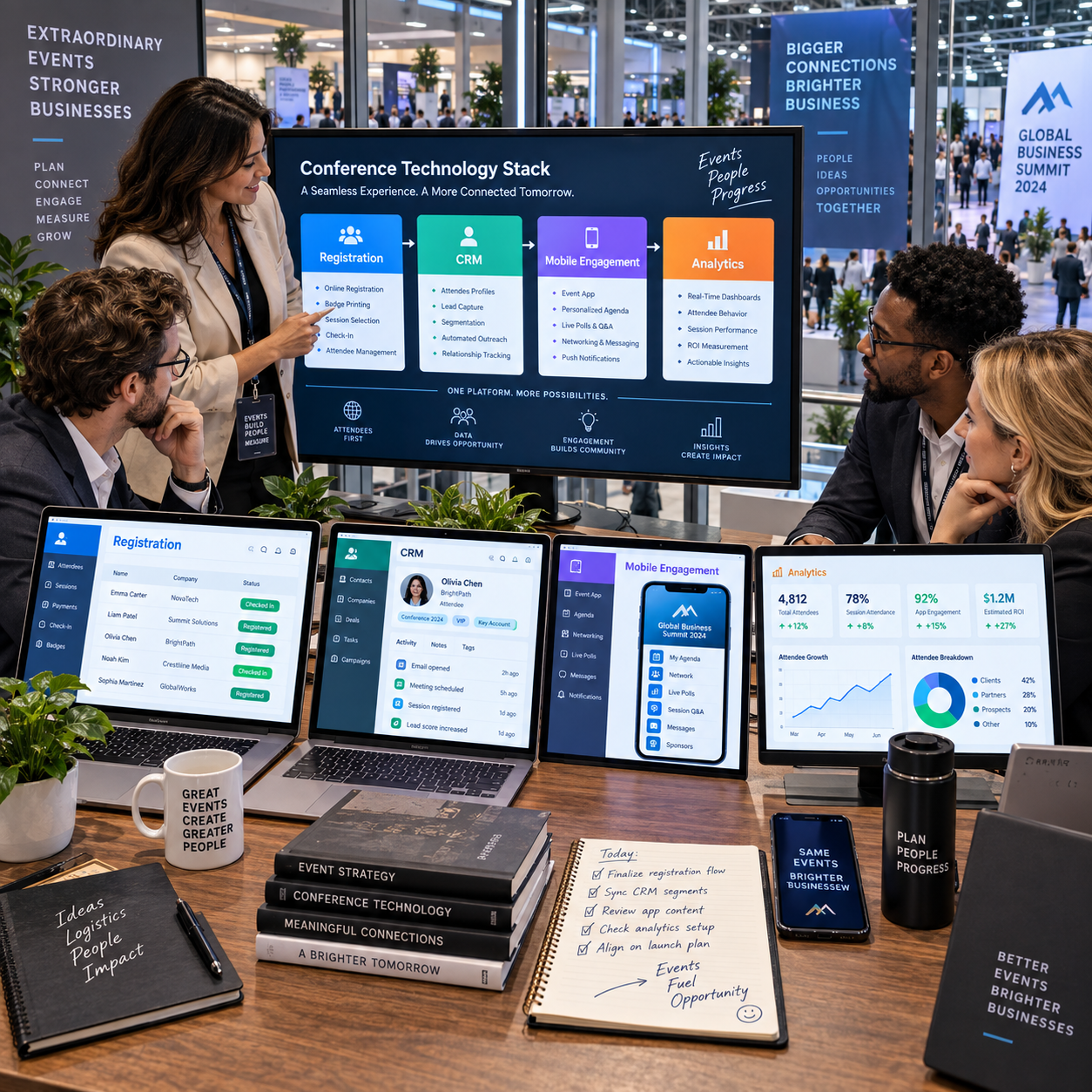
A modern B2B event depends on more than a venue, agenda, and good speakers. The right technology helps planners manage registrations, coordinate teams, make it easier for attendees to participate, and connect event activity to business outcomes.
There is no single ideal stack for every conference. A focused executive roundtable may need little beyond registration and CRM workflows, while a multi-day industry event may require a mobile app, badge scanning, and detailed analytics. Start with the event’s goals and attendee journey, then select tools that work together.
What an event tech stack should do
An event tech stack should support four things: planning, attendee experience, event operations, and measurable outcomes. Each tool should have a clear role in at least one of those areas and pass useful information to the rest of the system.
Think of the stack as a connected event lifecycle, not a shopping list. Before the event, planners need to build pages, promote sessions, and collect accurate registration data. During the event, staff need dependable check-in and attendees need clear information. Afterward, the team should be able to follow up and understand what worked.
A practical test is to trace one attendee from invitation to follow-up. Can your systems record where the person came from, what they registered for, which sessions they attended, and whether they consented to future communication? If the information gets trapped in separate spreadsheets, the tools may be creating more work than they remove.
- Planning: Coordinate event setup, schedules, speakers, and teams.
- Experience: Make registration, event information, and participation straightforward.
- Operations: Support check-in, communications, and onsite problem-solving.
- Measurement: Connect activity to goals such as qualified conversations, attendance, or pipeline influence.
Build the foundation with event management and registration tools
An event management platform organizes the event’s core details, while registration and ticketing software collects attendee information and manages sign-ups. Together, they provide the operational foundation for planning and welcoming participants.
An event management platform may handle event configuration, agendas, speaker details, attendee communications, and staff workflows. Some platforms also include registration, check-in, and reporting; others connect to specialist tools. The key is to know which system owns each task before setup begins.
Registration forms should collect only information that supports a real decision or attendee need. For a B2B conference, that might include company, job function, region, ticket type, accessibility requests, and relevant session preferences. Too many required fields can lower completion rates and produce inaccurate answers.
Set up the registration workflow around the event’s actual rules: approval for invited audiences, discount codes, group bookings, waitlists, cancellation policies, or paid tickets. Test the full process on mobile and check that confirmation emails, calendar details, and updates reflect the right event information. A polished platform cannot compensate for a confusing form or a broken confirmation flow.
Define a clean data structure early. Use consistent names for ticket categories, session choices, and campaign sources. That small discipline makes attendee lists easier to segment and avoids a cleanup project when the event is already underway.
Connect event marketing to your CRM
Event websites and landing pages explain the value of attending, marketing automation manages promotion and timely communications, and a CRM keeps event activity connected to customer and prospect records. When these tools share reliable data, marketing and sales teams can follow up with context.
The event website should answer practical questions quickly: who should attend, what they will learn, who is speaking, when and where the event takes place, and how to register. Use landing pages for specific audiences or campaigns when their messages differ. A page for existing customers, for example, may emphasize product education, while a prospect page highlights industry insights and networking.
Marketing automation can schedule invitation sequences, registration reminders, agenda announcements, and post-event follow-up. Set clear triggers and suppression rules so registered attendees stop receiving acquisition messages and cancellations do not keep getting reminders. Track source and campaign consistently, rather than relying on an informal field that changes from one campaign to the next.
A CRM integration should send and receive the information teams need, such as registration status, attendance, event type, and consent preferences. Decide whether the event platform or CRM is the system of record for each field. For instance, the registration system may own ticket status while the CRM owns account and sales-contact details.
Integration does not automatically mean useful alignment. Map fields, set update rules, and test with sample records before opening registration. Duplicate records or conflicting values can undermine trust in the data and create awkward follow-ups.
Improve the attendee experience with engagement tools
Event apps and audience engagement tools help attendees find relevant information, plan their time, connect with others, and participate in sessions. They are most useful when they solve a real event-day problem rather than adding another channel to check.
A mobile event app can bring together the agenda, speaker bios, venue maps, event updates, and saved sessions. For larger conferences, session discovery filters help attendees find content by topic, role, or track. Networking features can support profile discovery and meeting requests, though they need clear privacy choices and enough participation to feel worthwhile.
Audience engagement tools include live polls, Q&A, moderated chat, and session feedback. Use them with purpose: a poll can surface audience priorities at the start of a panel, while moderated Q&A can help speakers address relevant questions without losing time to repetition. Explain how attendees can participate, and provide a non-digital option when practical.
For hybrid or virtual events, the platform needs to make remote attendees part of the program, not just viewers of a stream. Check accessibility, captions, time-zone display, speaker interaction, and support for live and on-demand content. A feature-rich app can still fail if the venue has poor connectivity or attendees cannot find the information they need.
Before choosing an app, ask whether the audience will use it. A one-day, single-track meeting may work better with a mobile-friendly web agenda and clear email updates. A multi-track conference with meetings and venue navigation may justify a dedicated app.
Support onsite operations and lead capture
Check-in, badge scanning, and lead capture tools help staff manage attendance and make business conversations easier to document. Their value depends on reliable setup, trained users, and a clear plan for what happens to the data afterward.
Onsite check-in tools can look up registrations, handle walk-ins, and mark attendance. Test scanners, printers, Wi-Fi, power, and offline procedures before doors open. Keep a manual lookup option available; even a well-tested system can encounter a network or device issue at the busiest moment.
Badges can make names, organizations, or attendee roles easier to recognize, but avoid printing unnecessary personal details. For exhibitors and sponsors, badge scanning may capture a contact’s permission and interest. Agree in advance on which fields are collected and how leads will be delivered, so a scan becomes a useful record rather than an unqualified name on a list.
Lead capture works best when it supports a conversation. Staff should be able to add a short note, select a topic of interest, or indicate a requested follow-up. Explain consent at the point of collection, and make sure captured leads flow to the correct CRM or approved export. The tool can speed up data entry, but it cannot replace the judgment needed to qualify a business opportunity.
Use integrations and analytics to measure results
Integrations connect event systems, and analytics and reporting turn their combined data into a view of performance. Planners can then compare results with event goals and make better decisions about future programs.
Useful integrations may link registration, CRM, marketing automation, mobile event apps, virtual platforms, and lead capture. Avoid syncing every available field just because a connector offers it. Agree on essential data, ownership, update timing, and error handling; then test common cases such as cancellations, duplicate contacts, and changed email addresses.
Choose measures that match the event’s purpose. Attendance rate and session participation help assess engagement. Qualified meetings, target-account attendance, and sales follow-up can matter more for a customer or prospect event. For an industry conference, sponsor engagement and attendee feedback may be central. Registration totals alone tell only part of the story.
- Reach: Registrations by campaign, audience segment, or account type.
- Participation: Check-ins, session attendance, app activity, and interaction rates.
- Business follow-through: Qualified leads, meetings held, follow-up completion, or opportunities influenced.
- Experience: Survey responses, support requests, and recurring feedback themes.
Set a baseline and decide when each metric will be reviewed. A weekly registration dashboard can guide promotion before the event; an onsite attendance report helps staff respond to changes; a post-event review can track follow-up over an agreed period. Be careful with attribution: a deal may have several influences, so report event contribution transparently rather than claiming the event caused every later conversion.
Choose tools that fit your event program
Choose event technology by matching capabilities to event needs, integration requirements, team capacity, scale, and data-handling obligations. The best-fit stack is the simplest one that can reliably support the attendee journey and the outcomes you need to measure.
Start with a requirements map. List event formats, expected attendee volume, registration rules, onsite needs, marketing workflows, and reporting goals. Separate essential functions from features that would be nice to have. This prevents a polished demo from steering the team toward capabilities it will never use.
Evaluate each shortlisted tool against practical questions:
- Usability: Can planners and temporary event staff learn the core tasks without extensive training?
- Integration: Does it connect to your CRM and marketing automation, and can you control field mapping and sync rules?
- Scalability: Will it support your event formats and expected growth without adding needless complexity?
- Data handling: Can you manage access, consent, retention, exports, and deletion in line with your organization’s policies?
- Support and resilience: What help is available during the event, and what is the backup plan for connectivity or system failure?
Run a small end-to-end test before committing: create a landing page, submit a registration, confirm the CRM record, check in a test attendee, and review the report. This reveals workflow gaps that a feature checklist will miss. Also account for the full cost of ownership, including implementation, training, add-ons, and staff time.
For hybrid and virtual events, include streaming reliability, captions, attendee interaction, and on-demand access in the evaluation. For a recurring in-person conference, prioritize repeatable setup, registration flexibility, and onsite support. Reassess the stack after each event; remove tools that duplicate functions and keep the integrations that save time or improve decisions.
Frequently asked questions
What tools should a B2B event tech stack include? Most programs need event management, registration, an event website or landing page, CRM and marketing automation connections, and reporting. Add an app, audience engagement, check-in, or lead capture tools when the event format and audience justify them.
Do event platforms need to integrate with a CRM? Not every small event requires a live integration, but connecting event data to the CRM is useful when sales or marketing teams need to segment attendees and follow up. A controlled export can be enough for a one-off event; recurring programs usually benefit from a tested integration.
Which tools are useful for hybrid or virtual events? Look for a platform that supports reliable streaming, session access, captions, audience interaction, time-zone clarity, and on-demand content. The right mix depends on whether remote participants need to network, ask questions, or simply watch sessions.
How can planners measure whether event technology is working? Compare system performance and attendee behavior with defined goals. Review registration completion, check-in reliability, participation, lead quality, follow-up, and attendee feedback. A tool is working when it improves a needed process or produces information that informs a decision.